How To Download the Kerux Sermon Illustration Mega-Database
Follow this order to produce a complete Kerux database
(Microsoft Access version only; for SID go here):The easiest way is to download one file, the mega-database. But if you have a slow phone modem, below is the routine to use.
1. Determine the version of Microsoft Access on
your computer.
a. If it is Microsoft Access97, download and install setup_Kerux_Access97_combo_database_Aug2008.exe
b. If it is Microsoft Access2002 or something more recent, download and install setup_Kerux_Access2002_combo_database_Aug2008.exe
2. Download and unzip this illustration file.
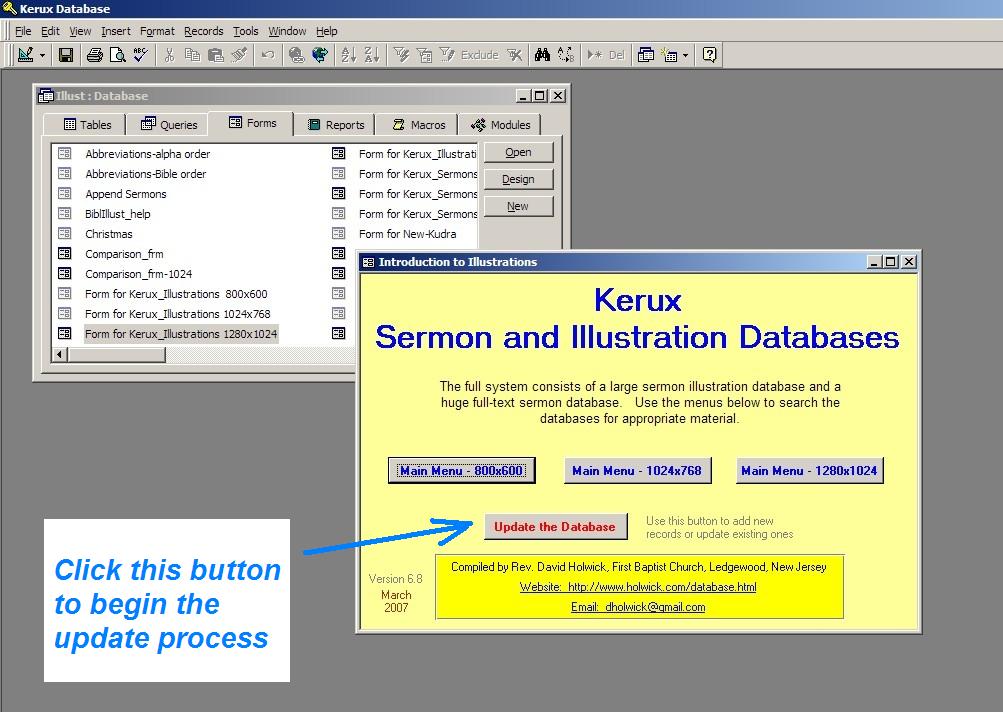
Install it by opening the Kerux database above (there will be an icon
on your Windows Desktop) and clicking on the "Update the
Database" button on the opening screen (click
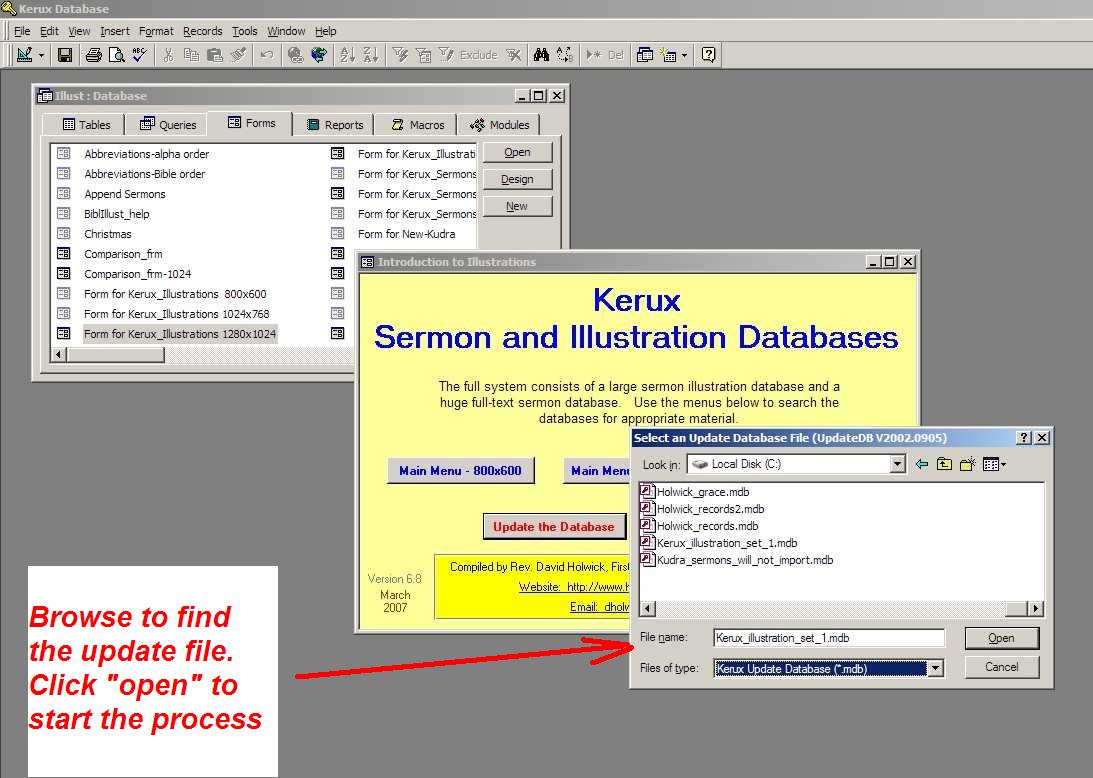
here for a screen shot). Browse to find and select this file (click
here for a screen shot).
Kerux_illustration_set_complete.zip
If you have a slow internet connection, you can load the complete set in these four smaller sets instead:
a. Kerux_illustration_set_1.zip
b. Kerux_illustration_set_2.zip
3. Download and unzip these sermon files. Install them by opening the Kerux database above
(there will be an icon on your Windows Desktop) and clicking on the "Update the
Database" button on the opening screen (click
here for a screen shot). Browse to find and select each file (click
here for a screen shot). (Why are there so many sets? My internet
host puts a 10 megabyte limit on the size of each file.)
Your mega-database should
now be complete. It should contain approximately 34,000 illustrations and
23,000 sermons.
Back to the main Kerux Database page
Back
to the main Holwick webpage
Rev. David Holwick
Ledgewood, New Jersey
May 4, 2009